
The best mechanical keyboard under $100 is not the one with the loudest RGB listing. It is the one whose compromises match the way you actually type. In 2026, the budget tier is crowded with gasket mounts, hot-swap sockets, tri-mode wireless, and surprisingly decent keycaps. That is great news, but it also means bad advice spreads fast. This guide keeps the decision simple: pick by layout first, switch feel second, and only then chase sound, wireless, or software extras.

Quick picks
If you just want the answer: Keychron V1 is the best wired overall pick, Epomaker TH80 V2 Pro is the feature-heavy #2, Aula F75 is the value play, and Keychron K2 V2 remains the safest wireless Mac/Windows choice.
| Award | Target price | Layout | Hot-swap | Wireless | Best for | Score | |
|---|---|---|---|---|---|---|---|
| #10 Redragon K552 Kumara | Best ultra-budget | $35-$45 | TKL | No | Wired | first mechanical keyboard buyers on a strict budget | 7.8 |
| #9 Ducky One 2 Mini V2 | Best 60% classic | $89-$99 | 60% | No | Wired | 60% fans who already know layer shortcuts | 8.6 |
| #8 HyperX Alloy Origins Core | Best gaming pick | $79-$99 | TKL | No | Wired | competitive gaming and sturdy TKL builds | 8.4 |
| #7 Keychron C3 Pro | Best wired TKL | $35-$59 | TKL | Yes | Wired | desk setups that do not need wireless | 8.7 |
| #6 Royal Kludge RK84 | Best value | $59-$79 | 75% | Yes | Bluetooth + 2.4 GHz + USB-C | wireless shoppers who want 75% utility at a lower price | 8.5 |
| #5 Keychron K2 V2 | Best overall | $79-$99 | 75% | Yes | Bluetooth + USB-C | people who want one safe keyboard for Mac, Windows, work, and school | 9.1 |
| #4 Aula F75 | Best value | $55-$79 | 75% | Yes | Bluetooth + 2.4 GHz + USB-C | buyers who want the most modern feel per dollar | 8.9 |
| #3 Akko 5075B Plus | Best hot-swap starter | $69-$99 | 75% | Yes | Bluetooth + 2.4 GHz + USB-C | beginners who want to swap switches and tune later | 9.0 |
| #2 Epomaker TH80 V2 Pro | Best hot-swap starter | $79-$99 | 75% | Yes | Bluetooth + 2.4 GHz + USB-C | buyers who want a feature-rich wireless 75% board under $100 | 9.0 |
| #1 Keychron V1 | Best overall | $69-$89 | 75% | Yes | Wired | most people who want a serious wired 75% board with real remapping | 9.3 |
- Start with layout: 75% and TKL are safest for most people; 60% is a deliberate choice.
- Favor hot-swap if this is your first mechanical keyboard; switch preference changes over time.
- Treat wireless as convenience, not magic. For one fixed desk, a good wired board is still simpler.
- Do not buy only for sound tests. Microphones, desks, and keycaps change the sound dramatically.
- Confirm the exact SKU before checkout. Budget keyboards often reuse names across different switch, keycap, and battery versions.
#10 Redragon K552 Kumara — Best ultra-budget
Redragon K552 Kumara
$35-$45 · usually the cheapest safe pick

The K552 is not refined, but it is the cheapest credible doorway into real mechanical switches.
What we love
- The price leaves room for a mouse, wrist rest, or future keycap upgrade.
- The compact layout frees desk space without making the keyboard feel like a toy.
- Broad availability makes returns, replacements, and spare parts less painful.
Where it falls short
- Expect louder stabilizers, rougher keycaps, and fewer refinement touches. That is acceptable at $35, but not at $60.
- Wired-only boards are less convenient for multi-device desks.
- Stabilizer rattle is the most common budget-board annoyance.
| Target price | $35-$45 |
|---|---|
| Layout | TKL |
| Switches | Outemu Red / Blue, SKU-dependent |
| Hot-swap | No |
| Connectivity | Wired |
| Software | No full remap software |
Redragon K552 Kumara earns its place here because it covers first mechanical keyboard buyers on a strict budget without pretending to be perfect.
The important checks are simple: confirm the exact switch option, make sure the layout fits your shortcuts, and compare the final checkout price against the under-$100 target.
#9 Ducky One 2 Mini V2 — Best 60% classic
Ducky One 2 Mini V2
$89-$99 · best only if you want 60%
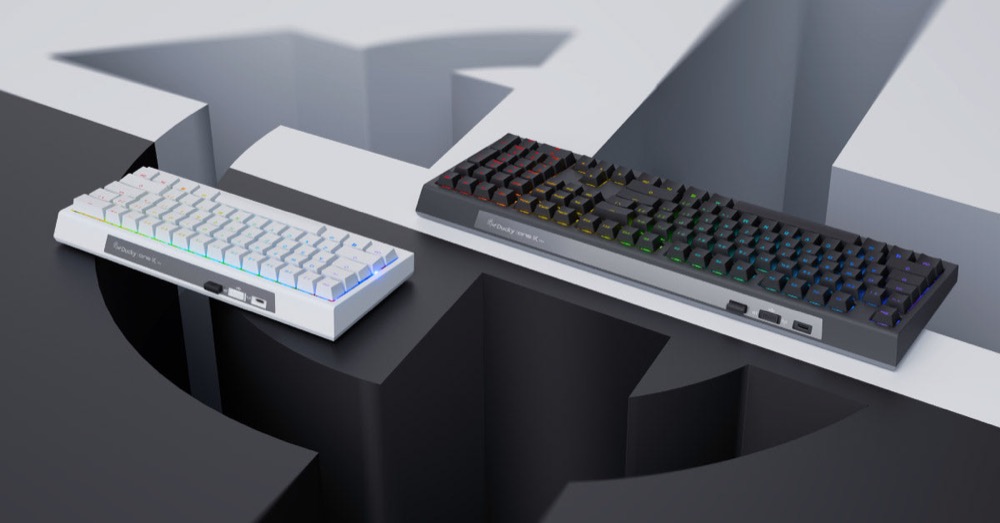
The One 2 Mini is older, but it remains a clean benchmark for people who specifically want the discipline and desk space of a 60% board.
What we love
- The compact layout frees desk space without making the keyboard feel like a toy.
- PBT or better stock keycaps resist shine longer than cheap ABS caps.
- Broad availability makes returns, replacements, and spare parts less painful.
Where it falls short
- A 60% layout is unforgiving if you use arrows, function keys, or spreadsheets all day. It rewards shortcut memory and punishes hesitation.
- 60% layouts are frustrating if you need arrows all day.
- Do not overpay because a sale price disappeared for one week.
| Target price | $89-$99 |
|---|---|
| Layout | 60% |
| Switches | Cherry MX / Gateron / Kailh, SKU-dependent |
| Hot-swap | No |
| Connectivity | Wired |
| Software | On-board layers and macros |
Ducky One 2 Mini V2 earns its place here because it covers 60% fans who already know layer shortcuts without pretending to be perfect.
The important checks are simple: confirm the exact switch option, make sure the layout fits your shortcuts, and compare the final checkout price against the under-$100 target.
#8 HyperX Alloy Origins Core — Best gaming pick
HyperX Alloy Origins Core
$79-$99 · buy when discounted
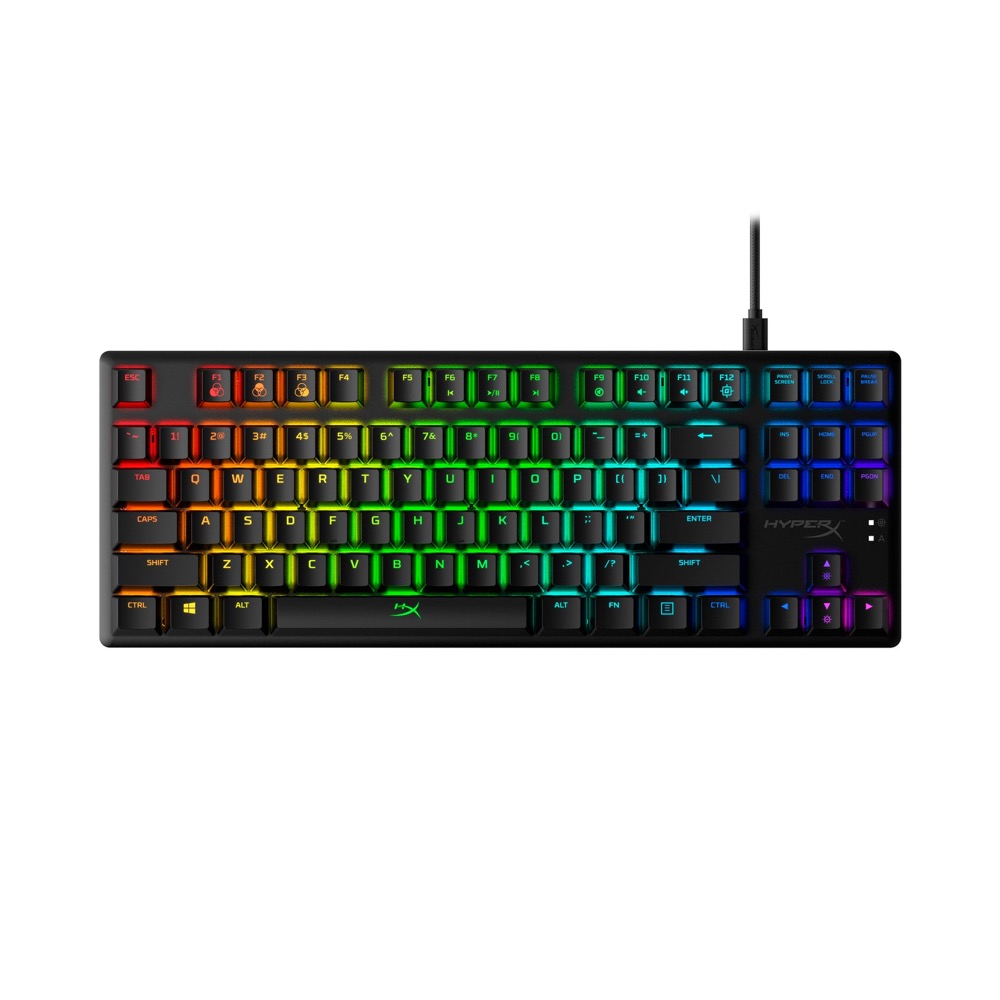
If games matter more than foam mods, the Alloy Origins Core is the durable, fast, no-nonsense pick.
What we love
- The wired connection, strong case, and low-latency switches make it safer for competitive play.
- Broad availability makes returns, replacements, and spare parts less painful.
- The compact layout frees desk space without making the keyboard feel like a toy.
Where it falls short
- The official MSRP can sit above $100, so this only belongs here when discounted. It is also not a hot-swap hobby board.
- Do not overpay because a sale price disappeared for one week.
- Wired-only boards are less convenient for multi-device desks.
| Target price | $79-$99 |
|---|---|
| Layout | TKL |
| Switches | HyperX Red linear |
| Hot-swap | No |
| Connectivity | Wired |
| Software | HyperX NGENUITY |
HyperX Alloy Origins Core earns its place here because it covers competitive gaming and sturdy TKL builds without pretending to be perfect.
The important checks are simple: confirm the exact switch option, make sure the layout fits your shortcuts, and compare the final checkout price against the under-$100 target.
#7 Keychron C3 Pro — Best wired TKL
Keychron C3 Pro
$35-$59 · strongest wired value
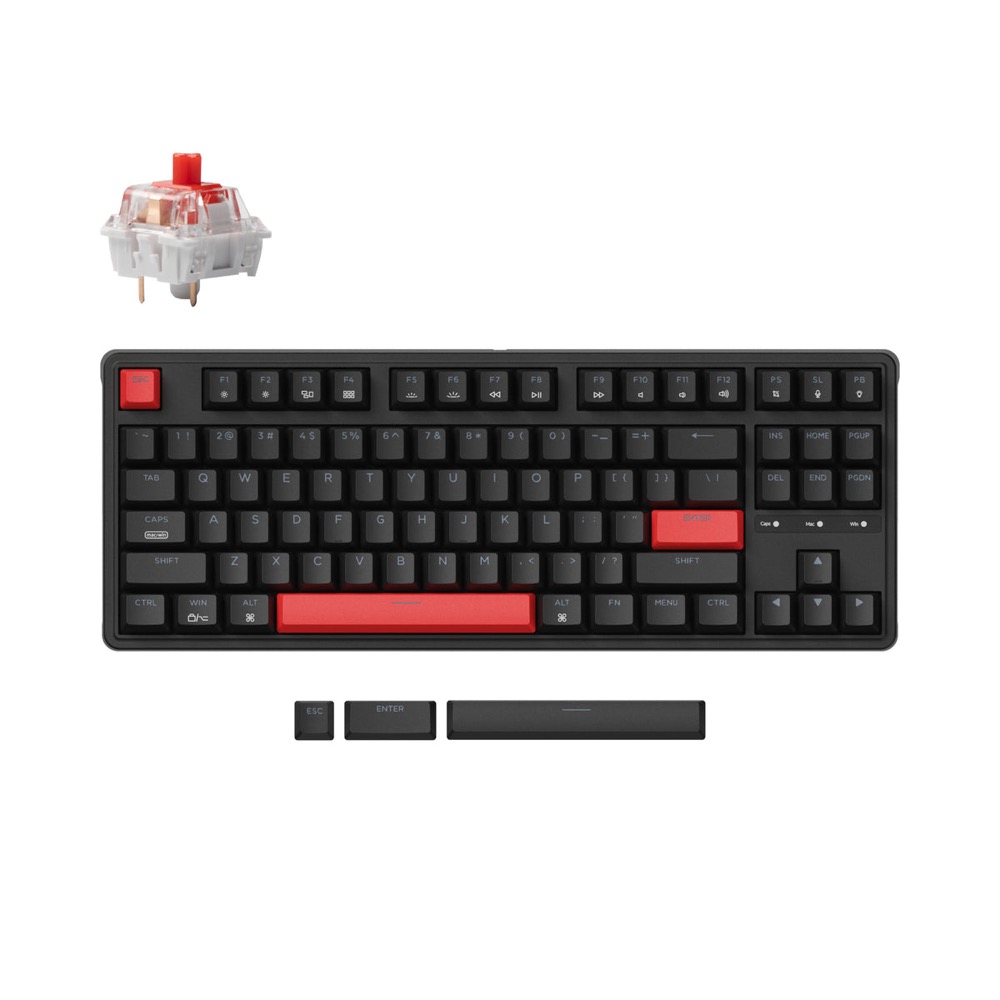
The C3 Pro is a boring-looking TKL with the right kind of boring: wired reliability, QMK/VIA support, and a price that leaves room for better keycaps.
What we love
- QMK/VIA support gives you real key remapping without relying on a fragile vendor app.
- Hot-swap sockets let you change switches later instead of replacing the whole board.
- The price leaves room for a mouse, wrist rest, or future keycap upgrade.
- Broad availability makes returns, replacements, and spare parts less painful.
Where it falls short
- It is wired-only and intentionally plain. If your keyboard moves between laptop, tablet, and desktop, choose a wireless board instead.
- Wired-only boards are less convenient for multi-device desks.
- Do not overpay because a sale price disappeared for one week.
| Target price | $35-$59 |
|---|---|
| Layout | TKL |
| Switches | Keychron mechanical Red / Brown, SKU-dependent |
| Hot-swap | Yes |
| Connectivity | Wired |
| Software | QMK / VIA |
Keychron C3 Pro earns its place here because it covers desk setups that do not need wireless without pretending to be perfect.
The important checks are simple: confirm the exact switch option, make sure the layout fits your shortcuts, and compare the final checkout price against the under-$100 target.
#6 Royal Kludge RK84 — Best value
Royal Kludge RK84
$59-$79 · wireless value pick
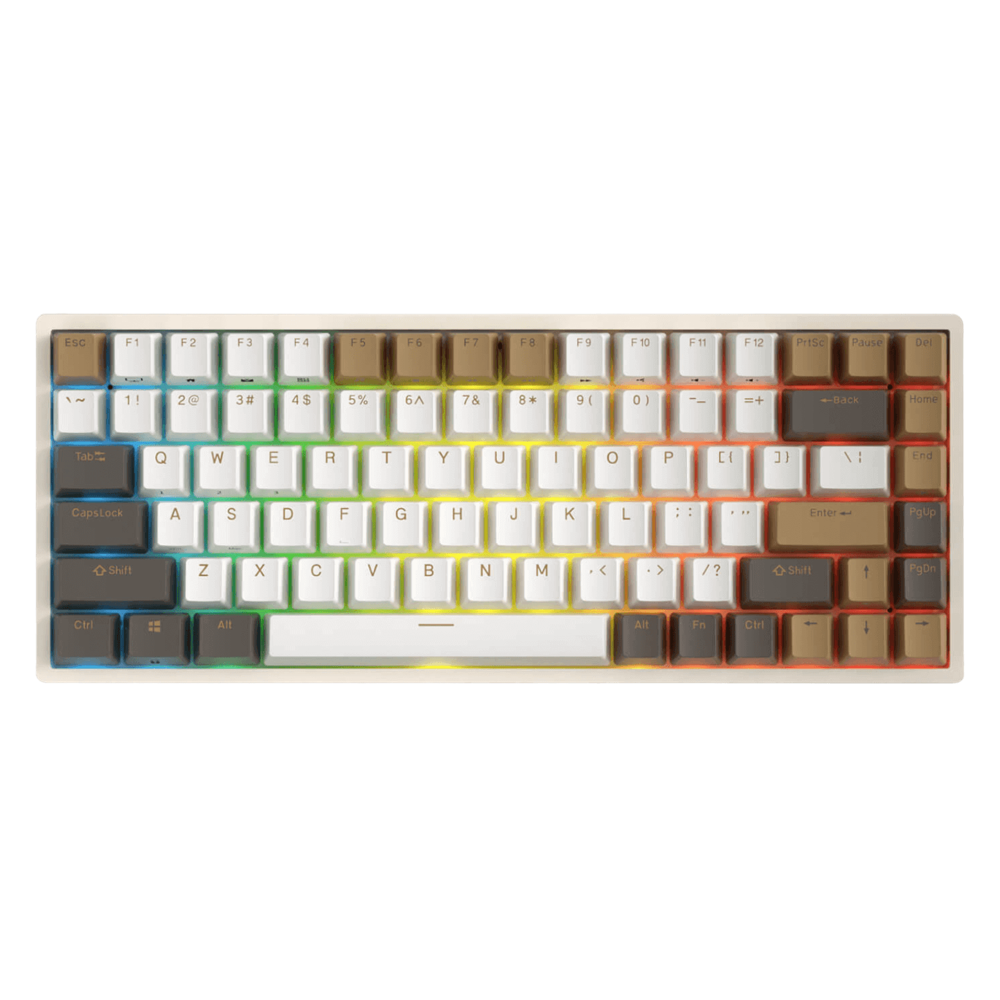
The RK84 is not the most polished board here, but it is one of the easiest ways to get wireless, hot-swap, and 75% utility below the premium tier.
What we love
- Tri-mode connectivity is useful if you move between a desktop, laptop, and tablet.
- Hot-swap sockets let you change switches later instead of replacing the whole board.
- The price leaves room for a mouse, wrist rest, or future keycap upgrade.
- Broad availability makes returns, replacements, and spare parts less painful.
Where it falls short
- Software and stabilizer quality are the tradeoffs. Buy from a seller with easy returns if you are sensitive to rattle or driver quirks.
- Do not overpay because a sale price disappeared for one week.
- Stabilizer rattle is the most common budget-board annoyance.
| Target price | $59-$79 |
|---|---|
| Layout | 75% |
| Switches | RK Yellow / Brown / Red, SKU-dependent |
| Hot-swap | Yes |
| Connectivity | Bluetooth + 2.4 GHz + USB-C |
| Software | RK driver, region-dependent |
The RK84 belongs in the middle of the countdown because it nails the practical brief: wireless, hot-swap, compact, and usually cheaper than the more polished enthusiast boards.
It is not as refined as the top picks, but for buyers who want Bluetooth, 2.4 GHz, and a 75% layout without paying much, it is one of the easiest recommendations to understand.
#5 Keychron K2 V2 — Best overall
Keychron K2 V2
$79-$99 · safe Mac/Windows pick

The K2 V2 is still the recommendation you can give to almost anyone: compact, familiar, widely stocked, and friendly to both Mac and Windows users.
What we love
- The layout and feature mix are easy to recommend to first-time mechanical keyboard buyers.
- Hot-swap sockets let you change switches later instead of replacing the whole board.
- Mac and Windows users get a smoother setup than on most budget gaming boards.
- Broad availability makes returns, replacements, and spare parts less painful.
Where it falls short
- The K2 is not the best sounding board in this list, and the non-Pro model does not give you modern VIA remapping. Buy it for reliability, not for endless customization.
- No software also means fewer remap options.
- Stabilizer rattle is the most common budget-board annoyance.
| Target price | $79-$99 |
|---|---|
| Layout | 75% |
| Switches | Gateron G Pro Red / Brown / Blue |
| Hot-swap | Yes |
| Connectivity | Bluetooth + USB-C |
| Software | Hardware Mac/Windows toggle, no VIA |
Keychron K2 V2 earns its place here because it covers people who want one safe keyboard for Mac, Windows, work, and school without pretending to be perfect.
The important checks are simple: confirm the exact switch option, make sure the layout fits your shortcuts, and compare the final checkout price against the under-$100 target.
#4 Aula F75 — Best value
Aula F75
$55-$79 · best sale-price sound
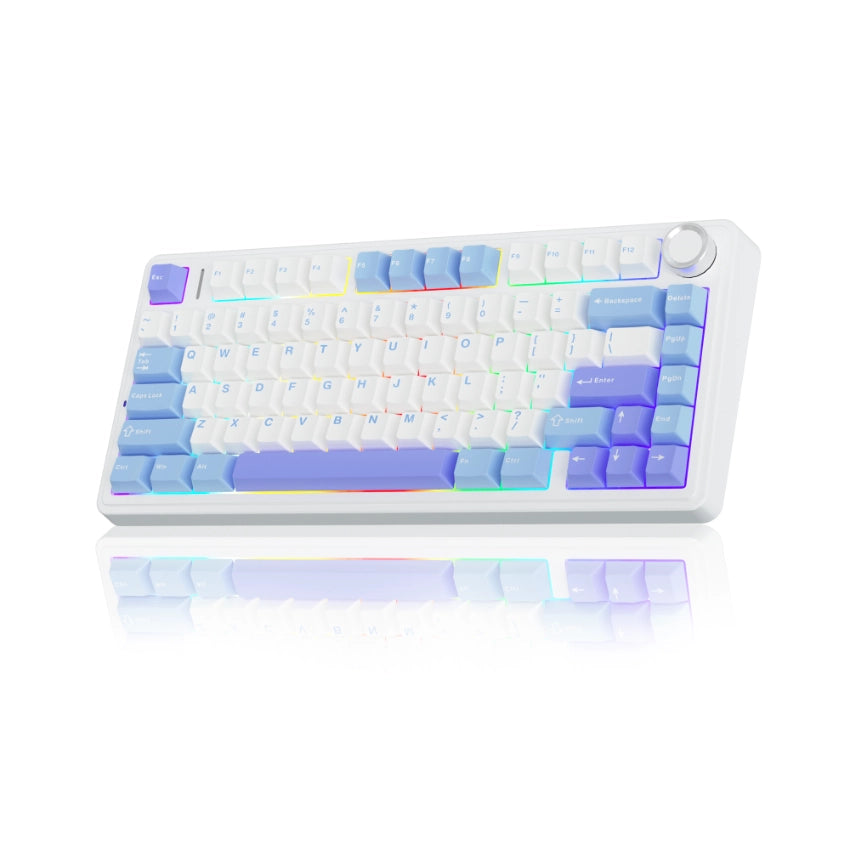
The F75 is the modern budget-board story in one product: soft mounting, thick sound, wireless flexibility, and a price that often feels too low.
What we love
- Tri-mode connectivity is useful if you move between a desktop, laptop, and tablet.
- Gasket mounting and foam layers create a softer, fuller sound than older tray-mount budget boards.
- Hot-swap sockets let you change switches later instead of replacing the whole board.
- The price leaves room for a mouse, wrist rest, or future keycap upgrade.
Where it falls short
- The F75 has many regional SKUs. Confirm switch name, battery size, and keycap material before paying, because listings often reuse the same photos.
- Do not overpay because a sale price disappeared for one week.
- Stabilizer rattle is the most common budget-board annoyance.
| Target price | $55-$79 |
|---|---|
| Layout | 75% |
| Switches | Aula / Leobog pre-lubed linears |
| Hot-swap | Yes |
| Connectivity | Bluetooth + 2.4 GHz + USB-C |
| Software | Aula driver, limited remap depth |
Aula F75 earns its place here because it covers buyers who want the most modern feel per dollar without pretending to be perfect.
The important checks are simple: confirm the exact switch option, make sure the layout fits your shortcuts, and compare the final checkout price against the under-$100 target.
#3 Akko 5075B Plus — Best hot-swap starter
Akko 5075B Plus
$69-$99 · best tinkering starter
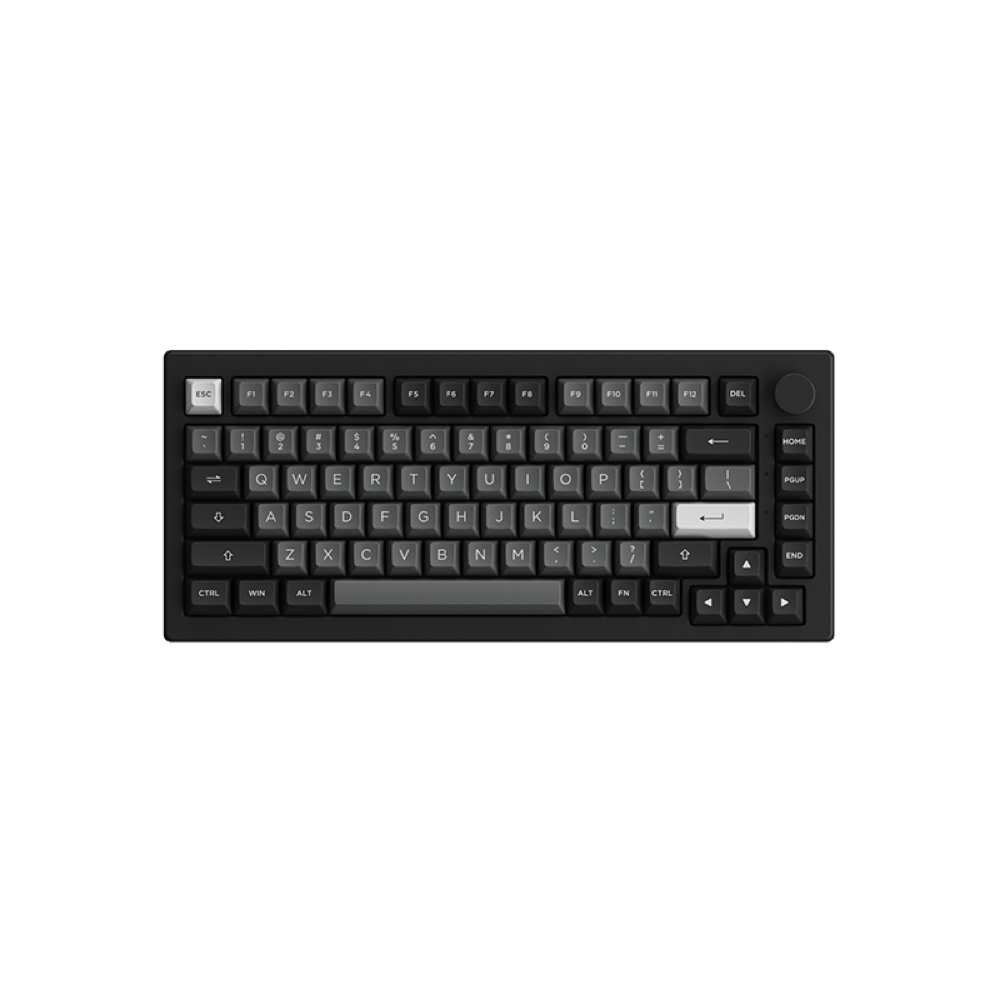
Akko gives beginners the most room to experiment without forcing them into soldering, niche firmware, or a custom build rabbit hole.
What we love
- Hot-swap sockets let you change switches later instead of replacing the whole board.
- Tri-mode connectivity is useful if you move between a desktop, laptop, and tablet.
- Gasket mounting and foam layers create a softer, fuller sound than older tray-mount budget boards.
- PBT or better stock keycaps resist shine longer than cheap ABS caps.
Where it falls short
- Akko's hardware is strong for the price, but software polish varies by operating system. If you need perfect VIA support, check the exact version before buying.
- Do not overpay because a sale price disappeared for one week.
- Stabilizer rattle is the most common budget-board annoyance.
| Target price | $69-$99 |
|---|---|
| Layout | 75% |
| Switches | Akko Cream / Jelly family, SKU-dependent |
| Hot-swap | Yes |
| Connectivity | Bluetooth + 2.4 GHz + USB-C |
| Software | Akko Cloud Driver |
Akko 5075B Plus earns its place here because it covers beginners who want to swap switches and tune later without pretending to be perfect.
The important checks are simple: confirm the exact switch option, make sure the layout fits your shortcuts, and compare the final checkout price against the under-$100 target.
#2 Epomaker TH80 V2 Pro — Best hot-swap starter
Epomaker TH80 V2 Pro
$79-$99 · screen + tri-mode value
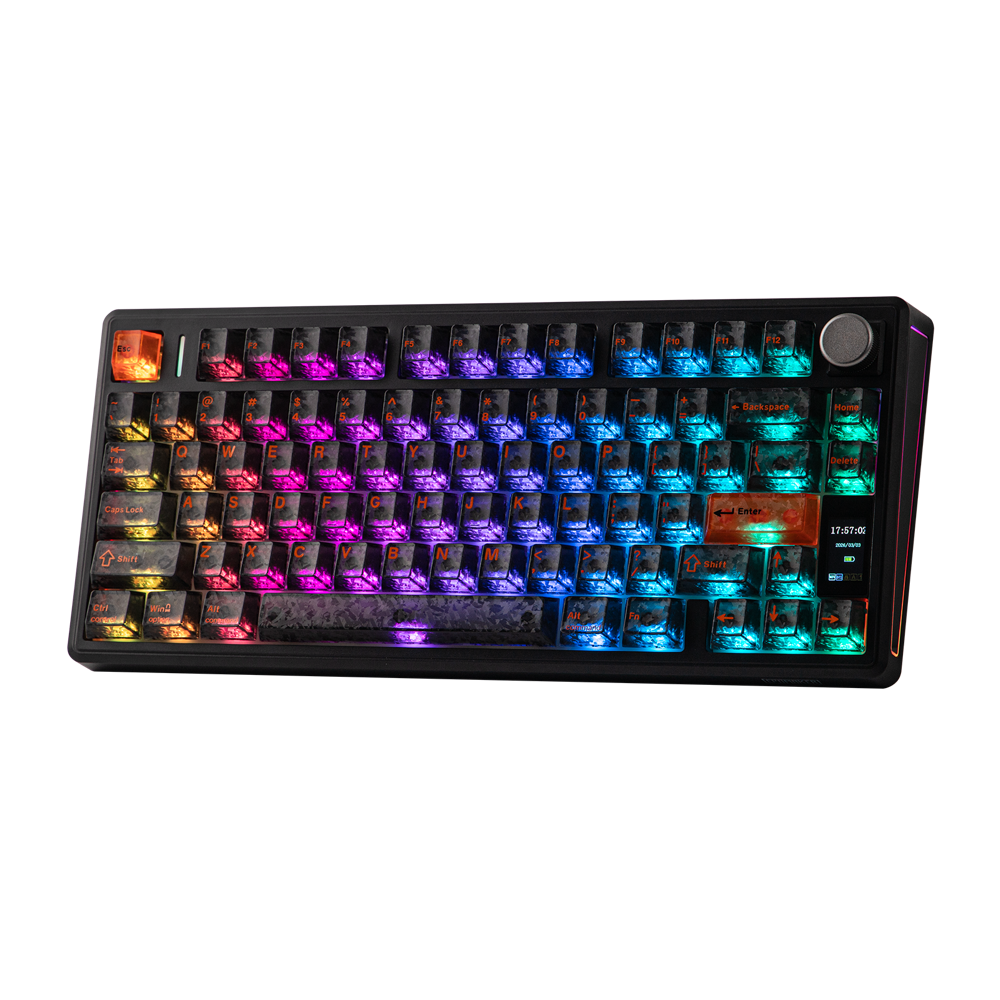
The TH80 V2 Pro is the spec-sheet monster of this list: tri-mode wireless, hot-swap, a knob, a screen on many SKUs, and a friendly 75% layout.
What we love
- Tri-mode connectivity is useful if you move between a desktop, laptop, and tablet.
- Hot-swap sockets let you change switches later instead of replacing the whole board.
- PBT or better stock keycaps resist shine longer than cheap ABS caps.
- Broad availability makes returns, replacements, and spare parts less painful.
Where it falls short
- Epomaker SKUs change often. Confirm whether the listing is VIA-compatible, which switches it ships with, and whether the seller is official.
- Do not overpay because a sale price disappeared for one week.
- Stabilizer rattle is the most common budget-board annoyance.
| Target price | $79-$99 |
|---|---|
| Layout | 75% |
| Switches | Epomaker Flamingo / Budgerigar, SKU-dependent |
| Hot-swap | Yes |
| Connectivity | Bluetooth + 2.4 GHz + USB-C |
| Software | Epomaker driver, VIA on some SKUs |
The TH80 V2 Pro is the feature-heavy pick: compact 75% layout, tri-mode connectivity, hot-swap, a knob, and a small screen on many SKUs. It feels like a lot of keyboard for the money when it is priced under $100.
The only catch is SKU complexity. Confirm the exact switch, software support, and seller warranty before buying, because Epomaker listings can vary by region.
#1 Keychron V1 — Best overall
Keychron V1
$69-$89 · best overall if wired is fine
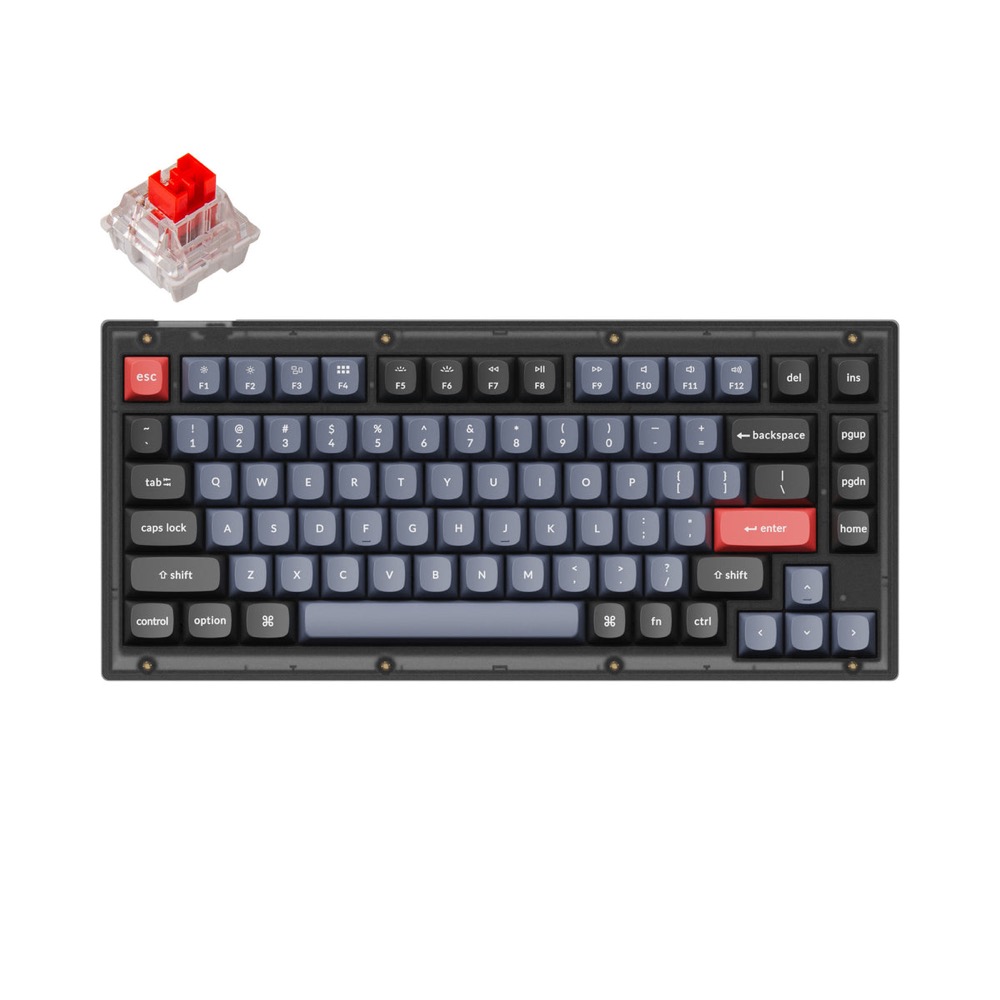
The V1 is the cleanest overall answer under $100 if wired is acceptable: proper remapping, hot-swap, a practical 75% layout, and fewer gimmicks.
What we love
- QMK/VIA support gives you real key remapping without relying on a fragile vendor app.
- Hot-swap sockets let you change switches later instead of replacing the whole board.
- PBT or better stock keycaps resist shine longer than cheap ABS caps.
- Broad availability makes returns, replacements, and spare parts less painful.
Where it falls short
- It is wired-only. If your desk needs Bluetooth or 2.4 GHz wireless, move to the K2 V2, RK84, TH80 V2 Pro, or Aula F75 instead.
- Wired-only boards are less convenient for multi-device desks.
- Do not overpay because a sale price disappeared for one week.
| Target price | $69-$89 |
|---|---|
| Layout | 75% |
| Switches | Keychron K Pro Red / Brown / Blue |
| Hot-swap | Yes |
| Connectivity | Wired |
| Software | QMK / VIA / Keychron Launcher |
The Keychron V1 is the strongest overall buy because it spends the budget on the parts that matter: a sensible 75% layout, hot-swap sockets, solid keycaps, and real QMK/VIA-style remapping. It is wired, but that trade keeps the price sane and the configuration cleaner.
Choose it if you want a first serious mechanical keyboard that can grow with you. You can change switches later, remap keys properly, and keep the layout familiar enough for writing, coding, and school work.
Honorable mentions
| Royal Kludge RK84 / L75 | Good if you want wireless value and find it under $80, but QC and software vary by batch. |
|---|---|
| Keychron V1 | Excellent wired 75% board when discounted; often the better pick than older wireless boards if VIA matters. |
| NuPhy Air75 V2 | Great low-profile option, but it often sits right at or above $100 depending on switch and sale timing. |
| MonsGeek / Akko barebones kits | Worth it if you already own switches and keycaps; less beginner-friendly if you need a complete keyboard today. |
How to choose under $100
Pick layout before switches
A perfect switch cannot fix a layout you hate. If you use arrows, function keys, or shortcuts all day, start with 75% or TKL. Choose 60% only if you already like layers.
Choose tactile for typing, linear for gaming
Linear switches feel smooth and fast; tactile switches give a small bump that helps typing accuracy; clicky switches are fun but loud. If you are unsure, start with a quiet tactile or light linear.
Hot-swap is insurance
Hot-swap is not mandatory, but it protects beginners from buying the wrong switch forever. A $10-$20 premium is usually worth it on a first board.
Watch the real checkout price
A board that looks under $100 can jump over the line after shipping, tax, or import fees. For global readers, the safer target is often $80 before checkout.
FAQ
- What is the best mechanical keyboard under $100 for most people?
- Keychron K2 V2 is the safest all-rounder, while Aula F75 is the stronger value pick if you want a softer, more modern sound.
- Is a $50 mechanical keyboard actually worth buying?
- Yes, if expectations are realistic. Around $50 you can get real mechanical switches and a sturdy layout, but keycaps, stabilizers, and software are usually where corners get cut.
- Should I choose 75%, TKL, or 60%?
- Choose 75% if you want compact without losing the function row, TKL if you like a traditional arrow/navigation cluster, and 60% only if you are comfortable using Fn layers.
- Do mechanical keyboards make you type faster?
- They can improve comfort and consistency, but speed comes from practice. A better keyboard removes friction; it does not replace technique.
Bottom line
If you want one simple answer, buy the Keychron K2 V2. If you want the most keyboard for the least money, hunt for the Aula F75 in its normal sale range. If you want a wired workhorse with real remapping, get the Keychron C3 Pro.
The real win is not finding a mythical perfect keyboard. It is matching the right compromise to your hands, desk, and typing routine.